In the App
Delete your account directly from Account Settings in the Liferoll app.
By Email
No longer have access to the app? Email us and we'll take care of it.
Your Data
Deleting your account permanently removes your rolls, posts, messages and media.
How to delete your Liferoll account
If you have access to the app
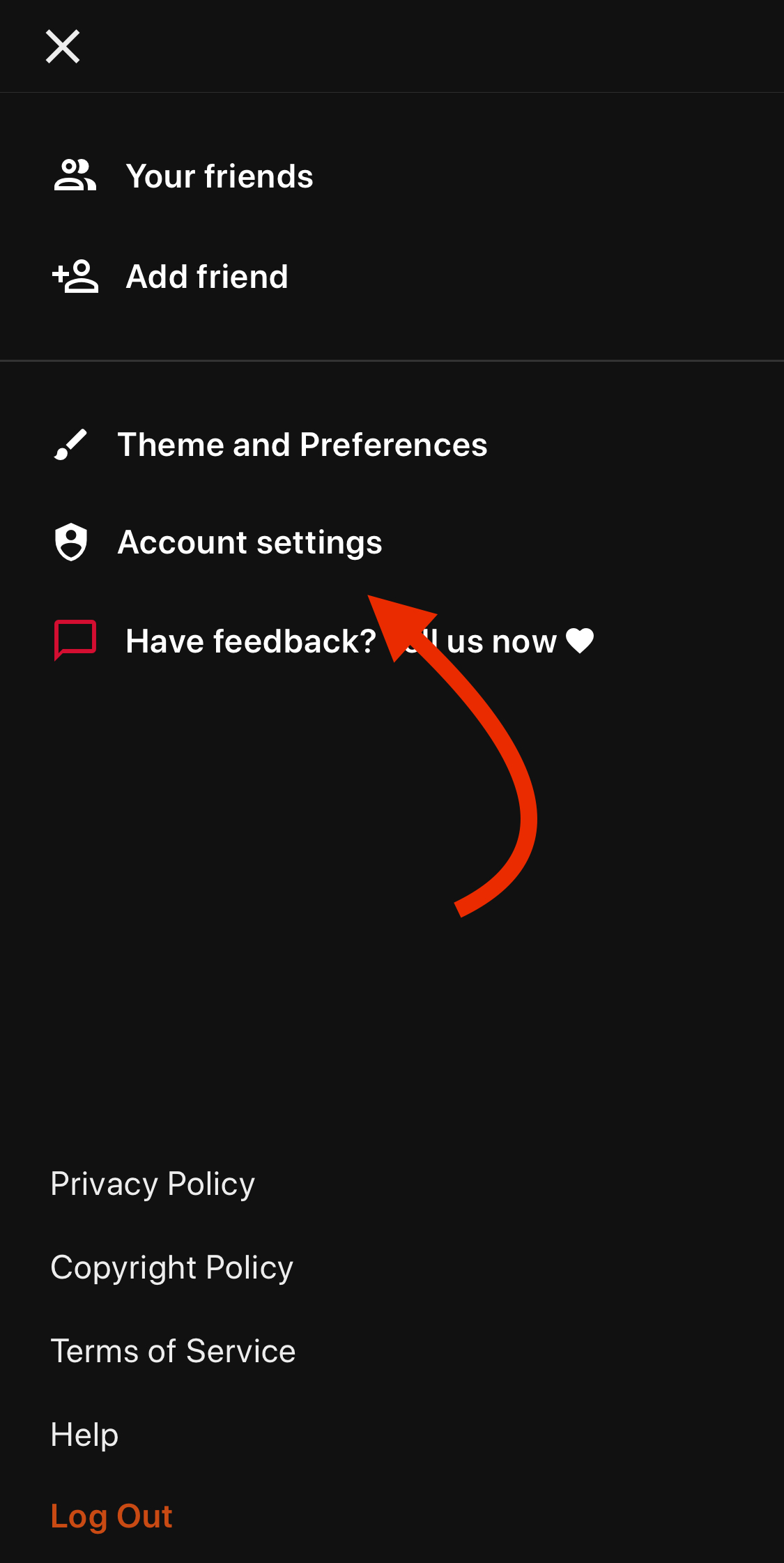
1. Go to the Account Settings page in the app
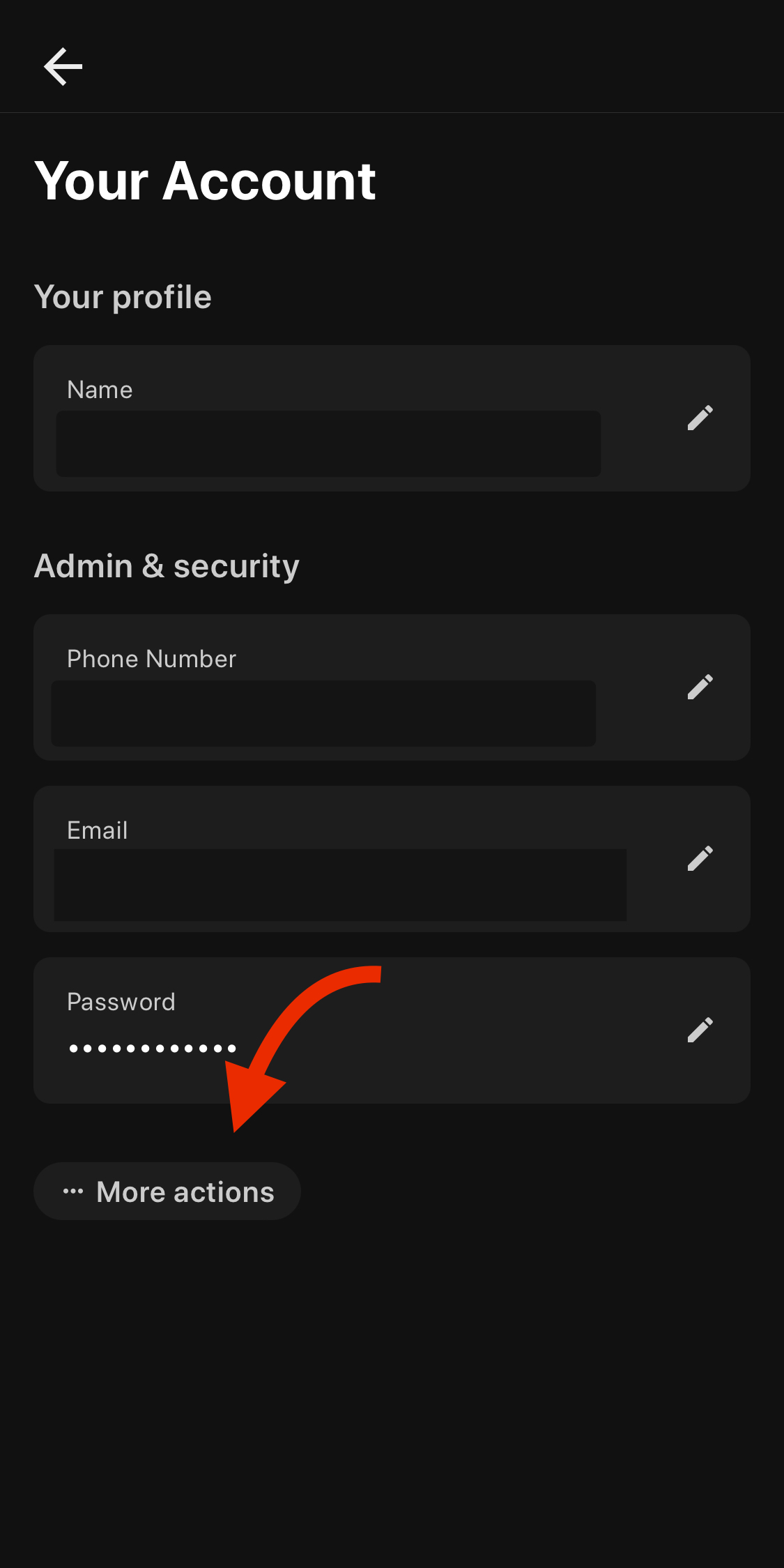
2. Select More Actions
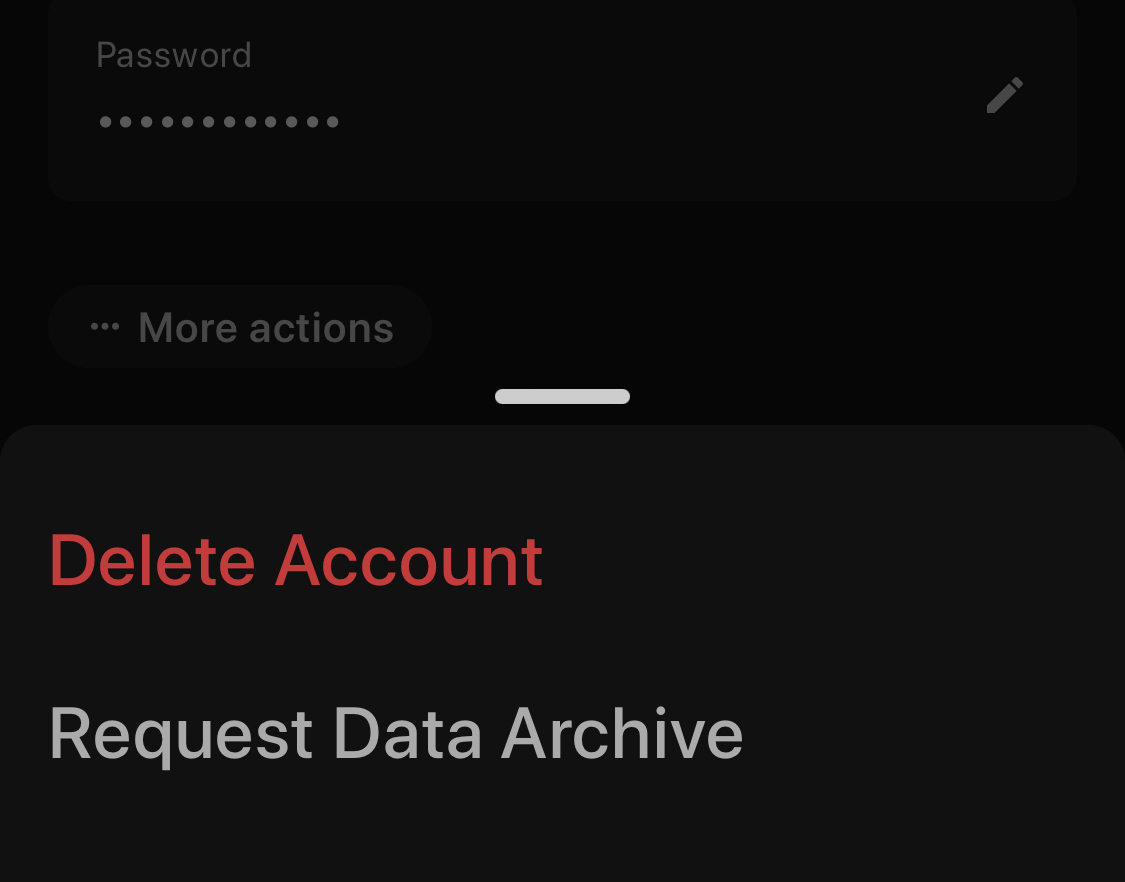
3. Select 'Delete Account'
If you don't have access to the app
Using the email that's associated with your Liferoll account, please send an email to help@liferoll.co with the subject 'Delete Account'.
If your Liferoll account has not yet been verified with an email, you can reset your login using your phone number and the app. If this is not possible, please contact us at help@liferoll.co and we will attempt other means to verify your ownership over your account.
If you want to delete only some of your data
When you're logged in to the app you can freely delete any rolls, posts, messages and other media that you have shared to Liferoll, without deleting your entire account.
Learn more
Please visit our Privacy Policy to learn more about how we handle account deletion and your data.